
here are the instructions for how to set the dns records for the email server.
- login to namecheap.
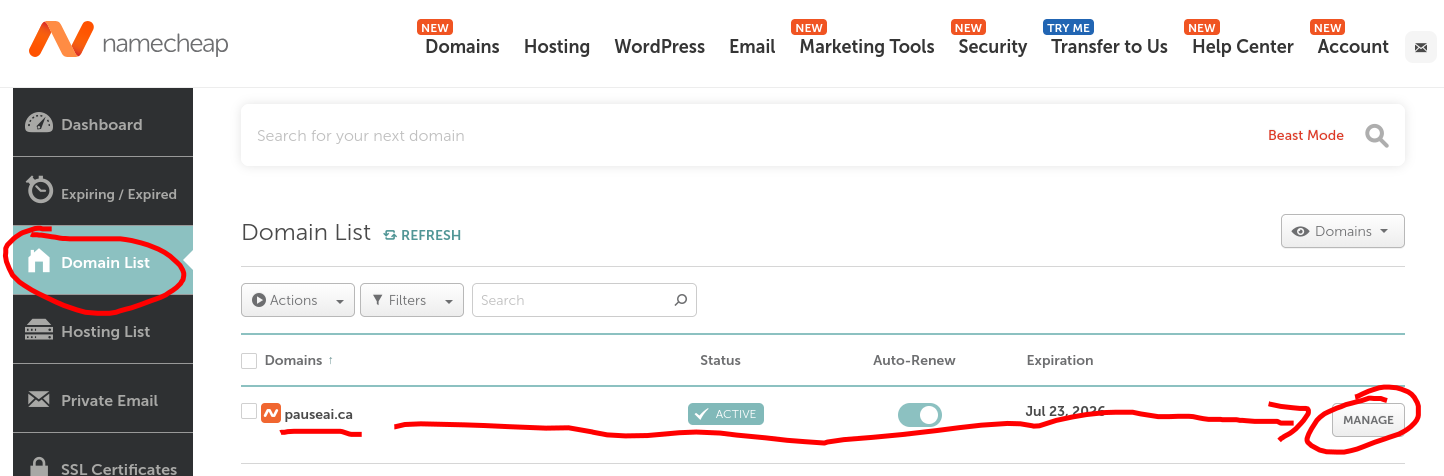
- go to “Domain List”. then find the appropriate domain in the list. then click on the “MANAGE” button on the same row for that domain.
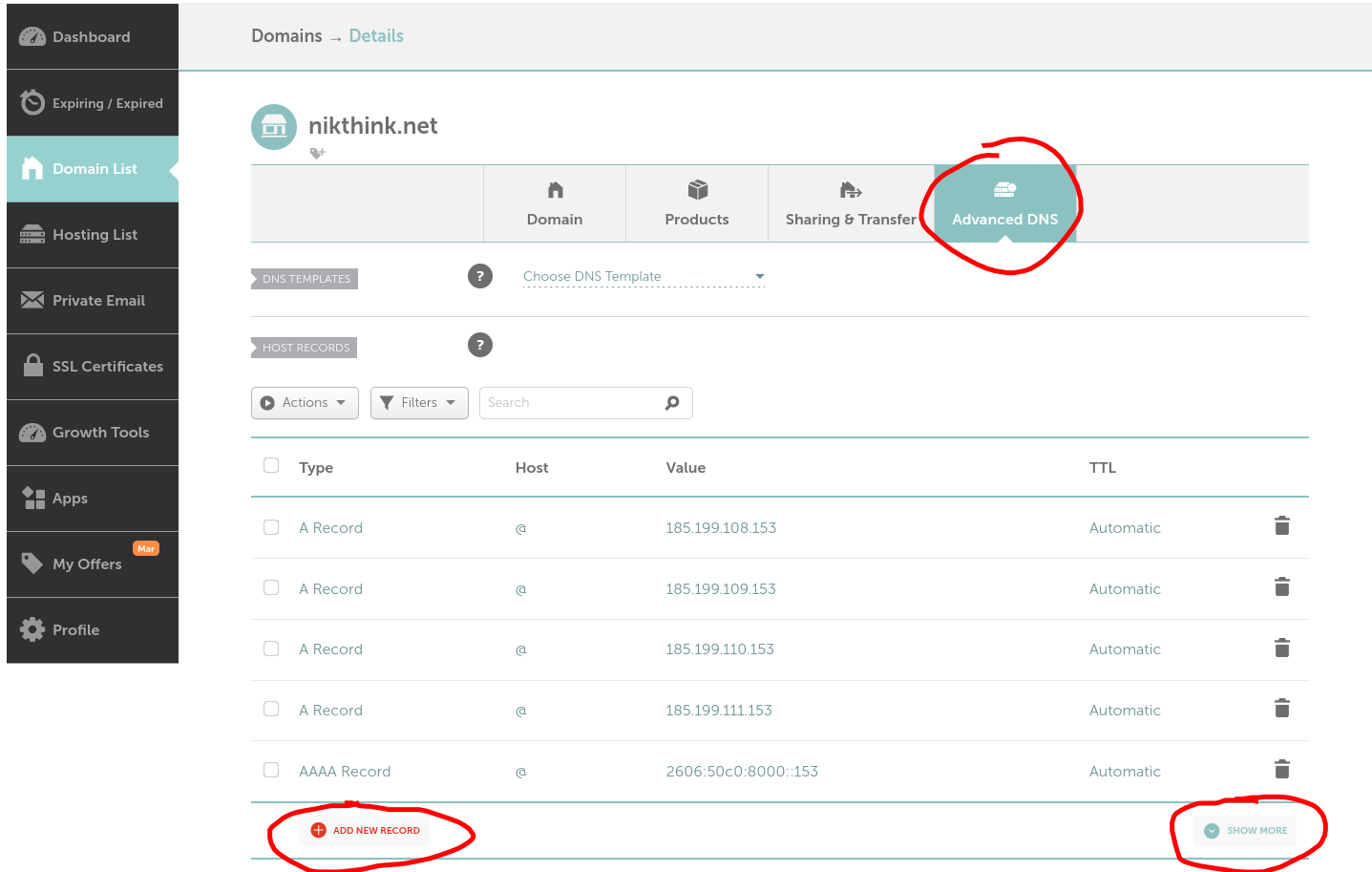
- click on “Avanced DNS”. click on “SHOW MORE” if you see it.
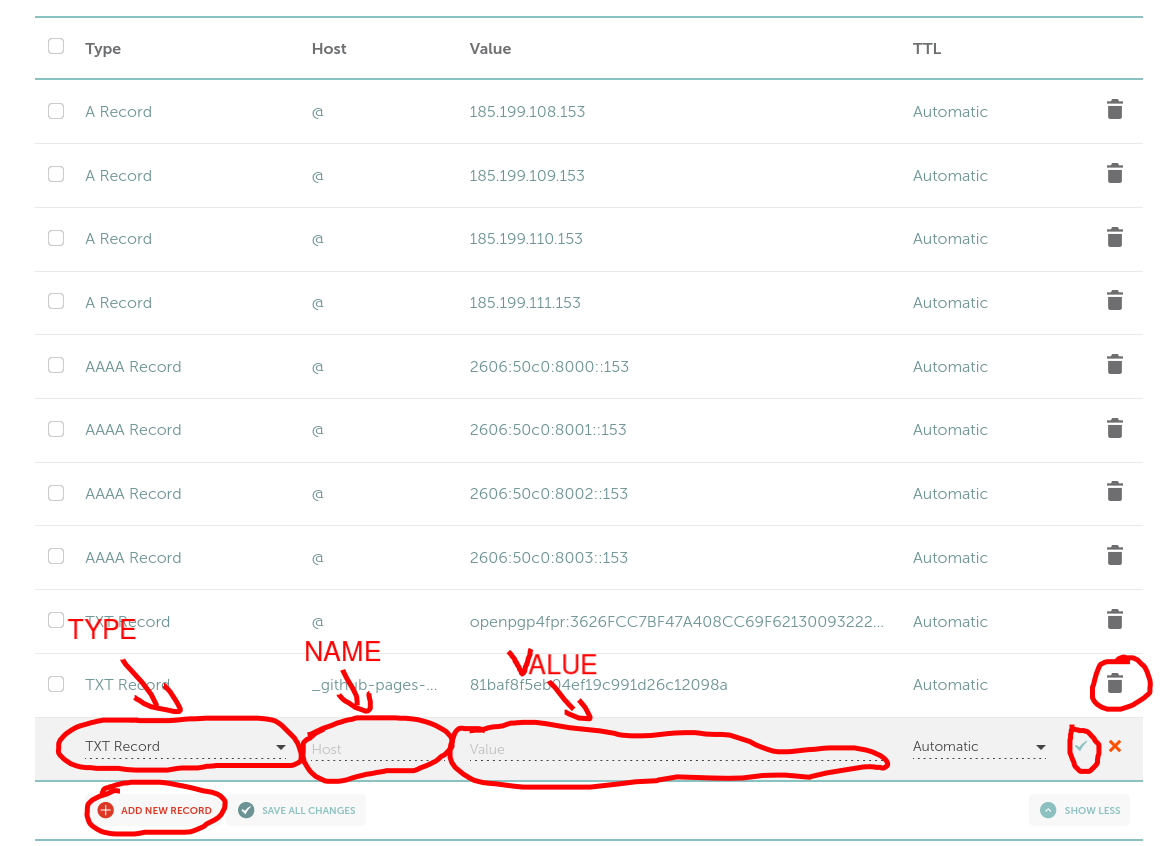
- every row in that table is a dns record. the rightmost column contains a thrash icon that you can use to delete a record. deleting a record and then adding it back is the equivalent of editing it. to add a new record, click on “ADD NEW RECORD”. a new empty row/record will be shown in the ui. You want to set the “type”, “name” (namecheap calls it “hosts”), and “value” fields as i tell you.
if a record already exists for the same “name” and “type”, usually it means i want to you delete it and then create a new one with the values i provide you. but you may want to warn me that it already existed and give me the old value just in case.
records with name “@” is the equivlent of setting records for the domain “example.com”;
records with name “ftp” is the equivalent of seeting records for the domain “ftp.example.com”, etc.